Free download · the demo needs no signup

Your mailbox,
inside your dashboard.

A native three-pane IMAP mail client that lives in wp-admin — drawn with WordPress's own colours, spacing and type. Not an app in an iframe. Read, write, file and search your own mailbox without ever leaving the dashboard.

A real WordPress boots in your browser tab, already signed in. Nothing to install, nothing kept.

✉ MailPane ‹ Your Site — WordPress
yoursite.com/wp-admin/admin.php?page=webmail
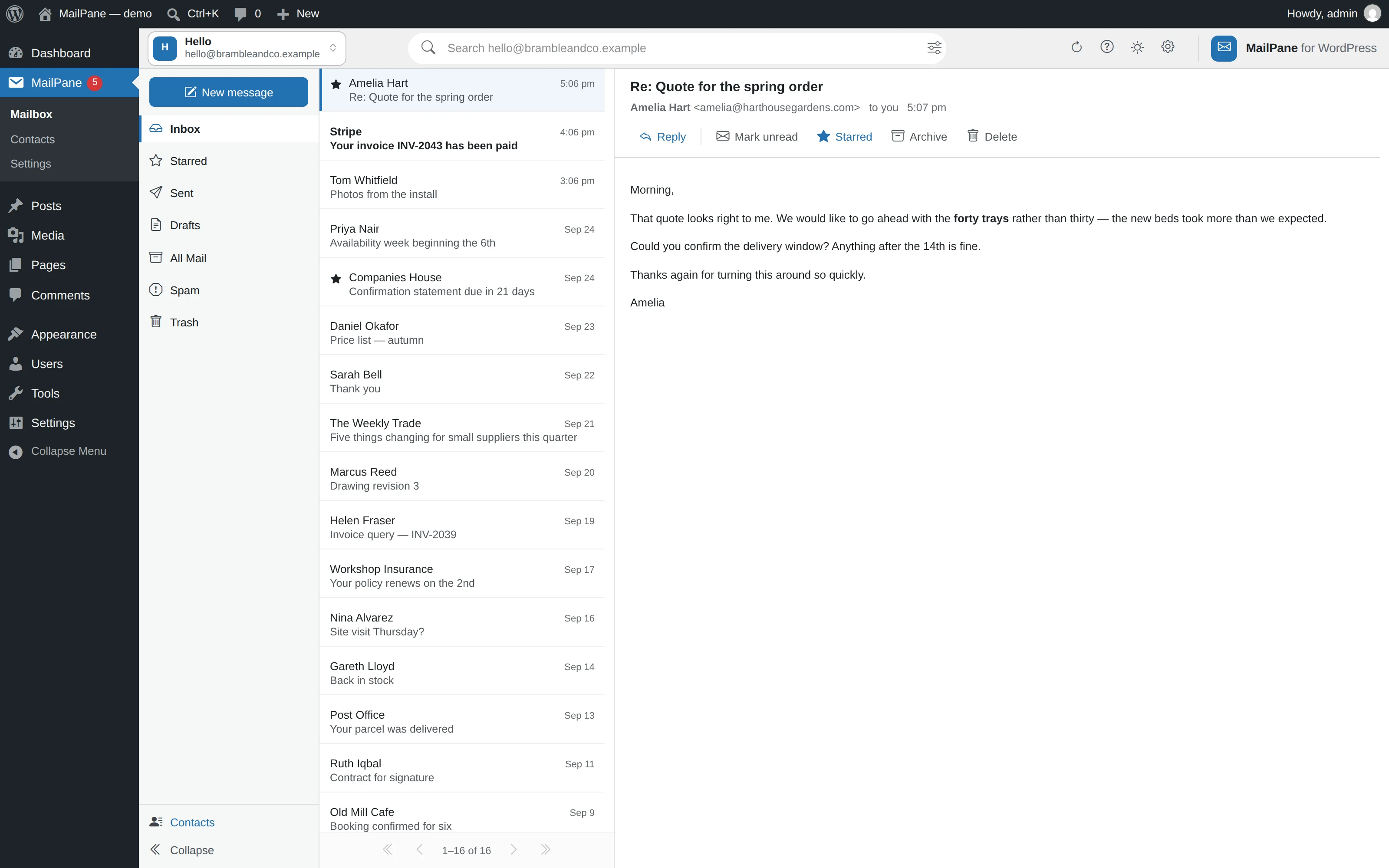
MailPane running inside the WordPress dashboard: the folder rail, the message list, and a message open in the reading pane

Don't take our word for it — it's running right now.

The demo is a genuine WordPress with the plugin installed, booting inside your browser tab on a made-up mailbox. Read messages, star them, archive, undo, write a reply, open the attachments, search the whole mailbox. Everything works. Nothing is uploaded, nothing is kept, and closing the tab destroys it.

No account. No email address. No install. It just opens.

Open the demo

Why it is different

Nothing is stored. Not one message.

Every message is read live from your mail server for that request. No copy of your mail sitting on a website waiting to be breached.

No copy of your mail

Nothing is stored in WordPress. Every click reads the mail server, so there is no database to grow and nothing to back up.

Any IMAP provider

Gmail, Outlook, Yahoo, Fastmail, iCloud, Zoho or your own server. Presets fill in the ports; nothing needs a PHP extension.

Undo that waits

Archive, trash and move are reversible for a few seconds, and undo puts the message back exactly where it was.

Careful with strangers

Remote pictures are held back until you say otherwise, so no tracking pixel reports that you opened the message.

Search, then narrow it

Search the whole mailbox, or narrow by sender, subject, date and whether it carries an attachment. On Gmail it asks Google's own index, so it comes back quickly.

Tidies up after itself

A nightly sweep empties Trash and Spam of anything older than thirty days. Your inbox is never touched.

Writing

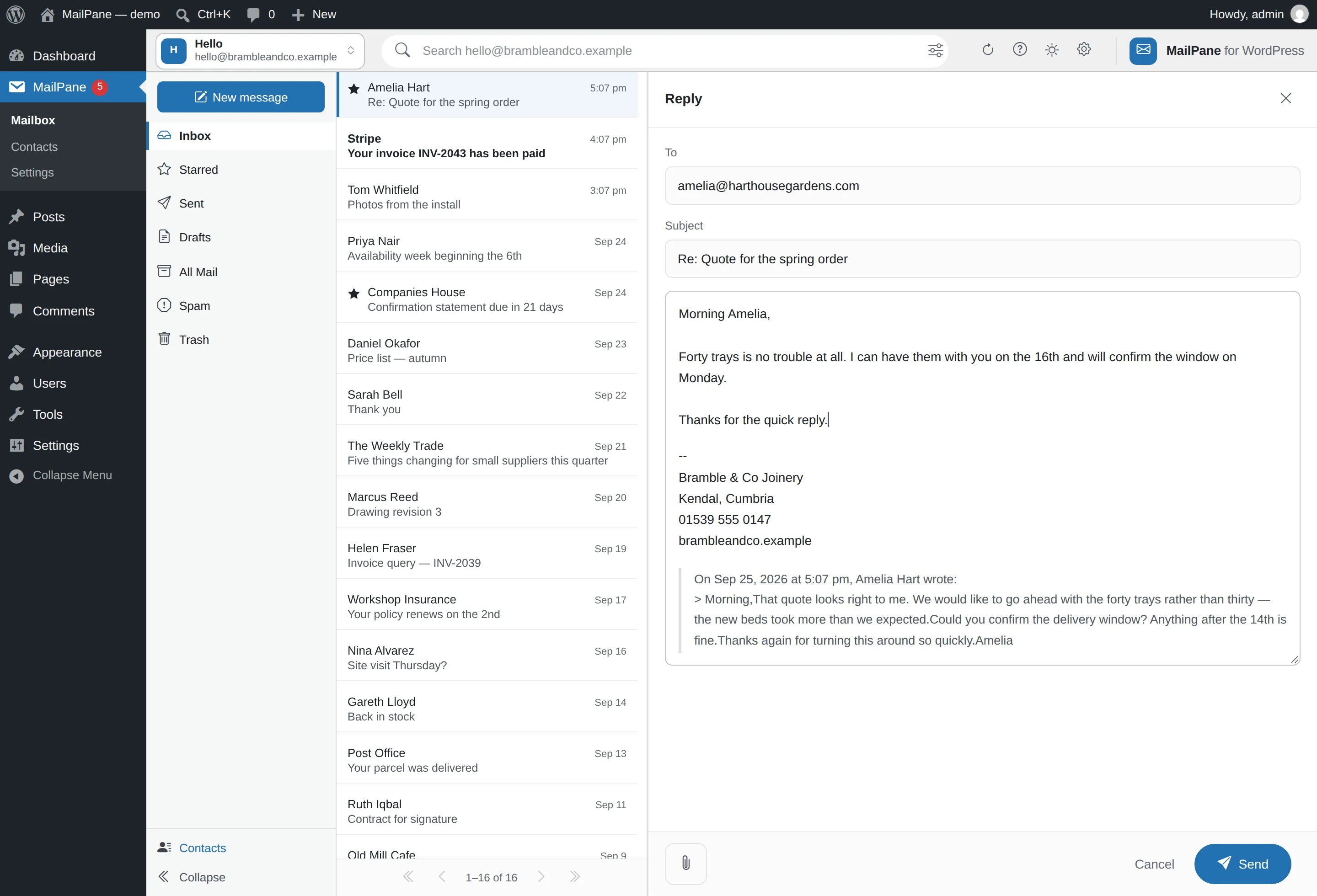
Write a reply, see the sign-off.

The sign-off is printed on the sheet rather than promised, so what you see is what sends. Attach several files at once, each with its own remove button and a running total against the limit. Outgoing files are allow-listed, type-checked, and shrunk if enormous.

Writing a reply, with the sign-off shown on the sheet

Attachments

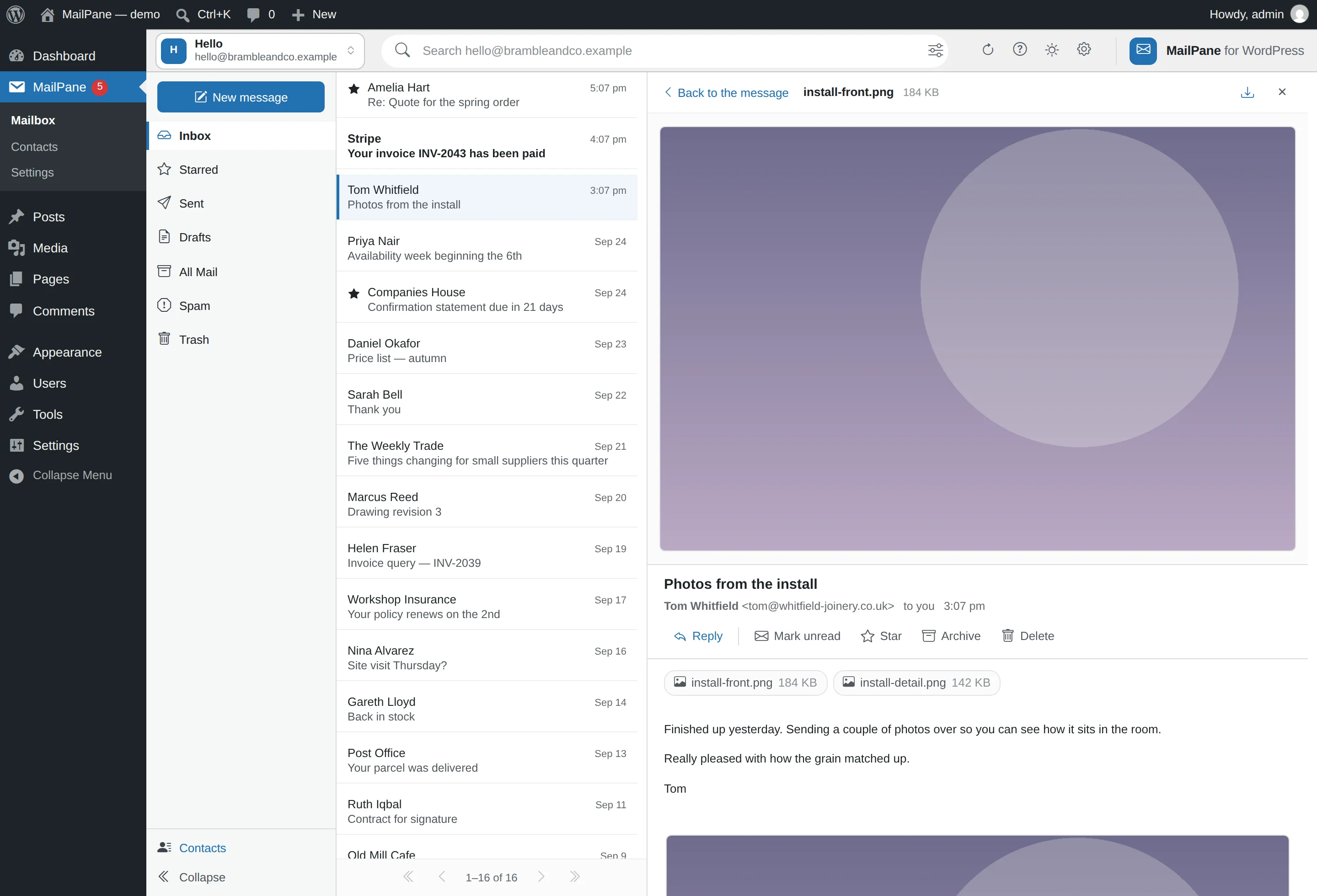
Pictures and PDFs open where you are.

Attachments preview in the message pane, under the message — no pop-up to dismiss and nowhere else to go. PDFs, plain text and Office documents open there too, in a sandboxed frame that cannot run anything.

An attached picture previewing inside the reading pane

Any device

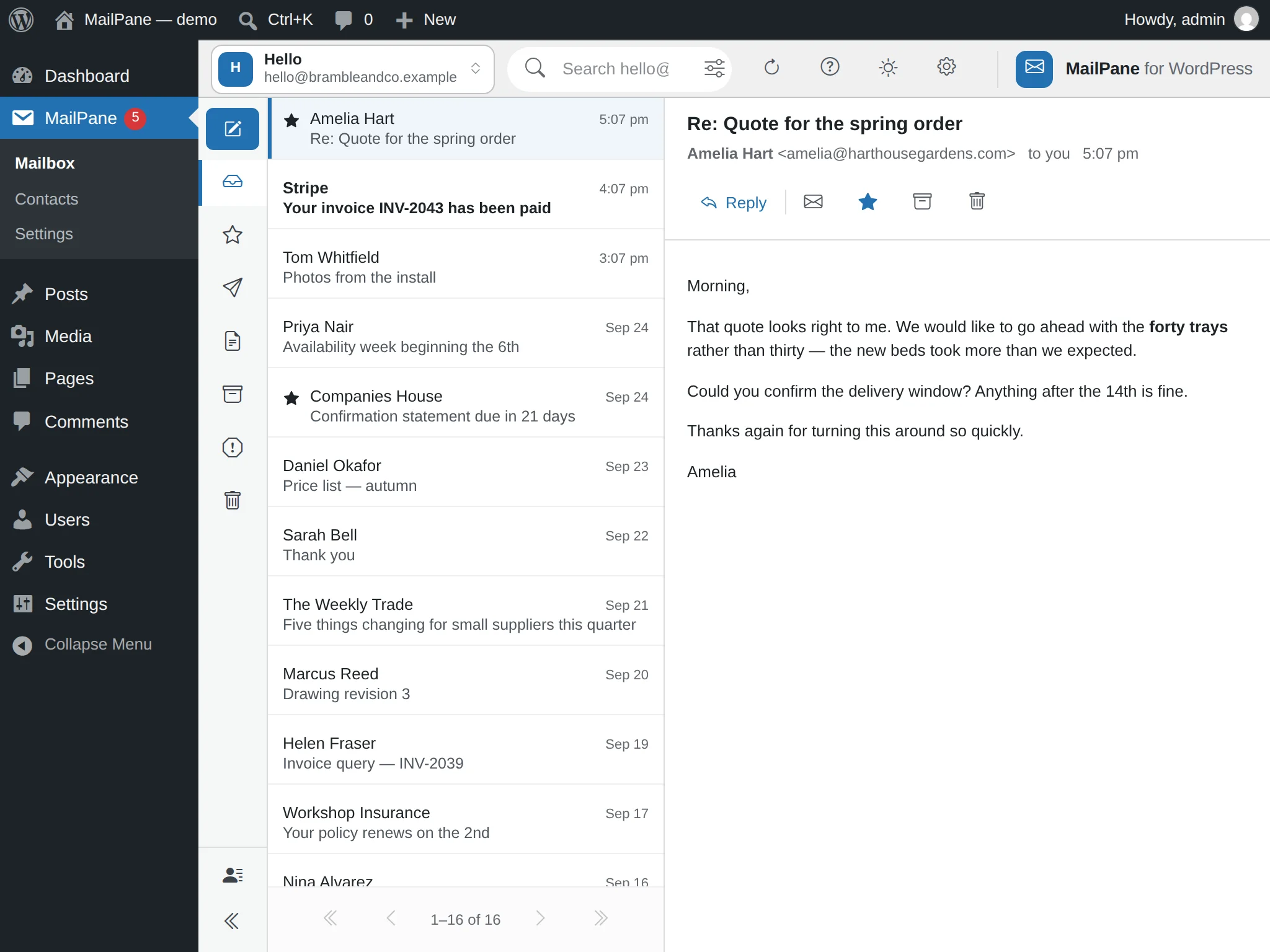
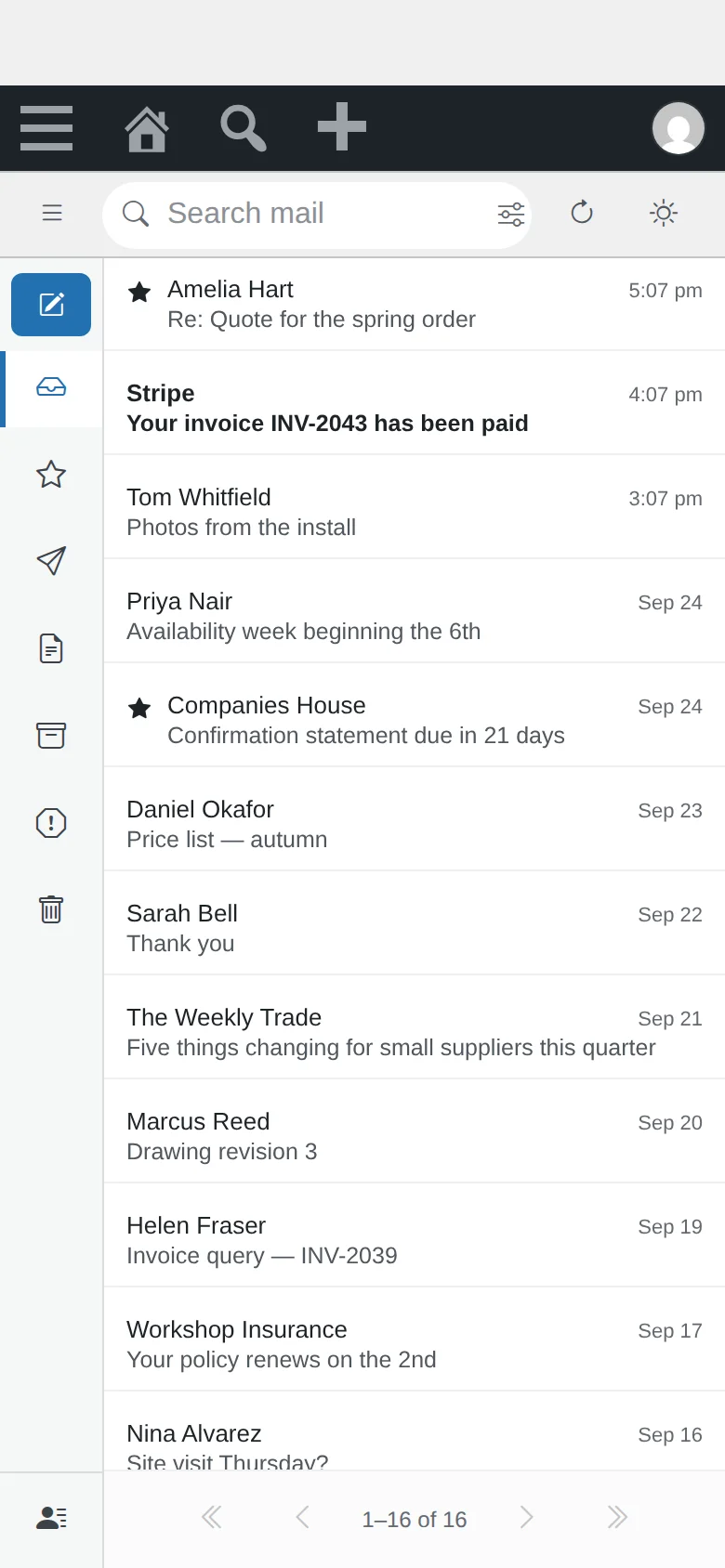
Desktop computers, tablets and phones.

One screen that rearranges itself rather than three that drift apart. The folder rail stays reachable, the message always fits, and every dialog has a way out — all the way down to a 320-pixel phone.

MailPane on a desktop computer: the folder rail, the message list and an open message side by side
Desktop
MailPane on a tablet held in landscape, showing the folder rail, the message list and a message
Tablet
MailPane on a phone: the message list, with the folder rail collapsed behind a button
Phone

Free download

Take it now. It is free, and it stays free.

Everything on this page so far is in the free plugin: one mailbox, read live, with search, attachments, undo and the rest. No account, no licence key, no trial that expires. GPL — the same licence as WordPress itself.

Download the plugin

Version 0.2.3 · 2.1 MB · WordPress 6.4 or newer · PHP 8.1 or newer

Installing it

In your dashboard, go to Plugins → Add New → Upload Plugin, choose the zip, activate, and put your mailbox details in once. MailPane appears in the menu.

It is on its way to the WordPress plugin directory. Once it is there it will install and update like any other plugin, and this zip becomes the long way round.

The paid add-on

More than one mailbox, and an address book.

The free plugin does one mailbox completely — it is not a crippled version of this. The paid add-on is for people who need more than one, and it brings its address book with it.

Switching

Paid add-on

One click from one mailbox to the next.

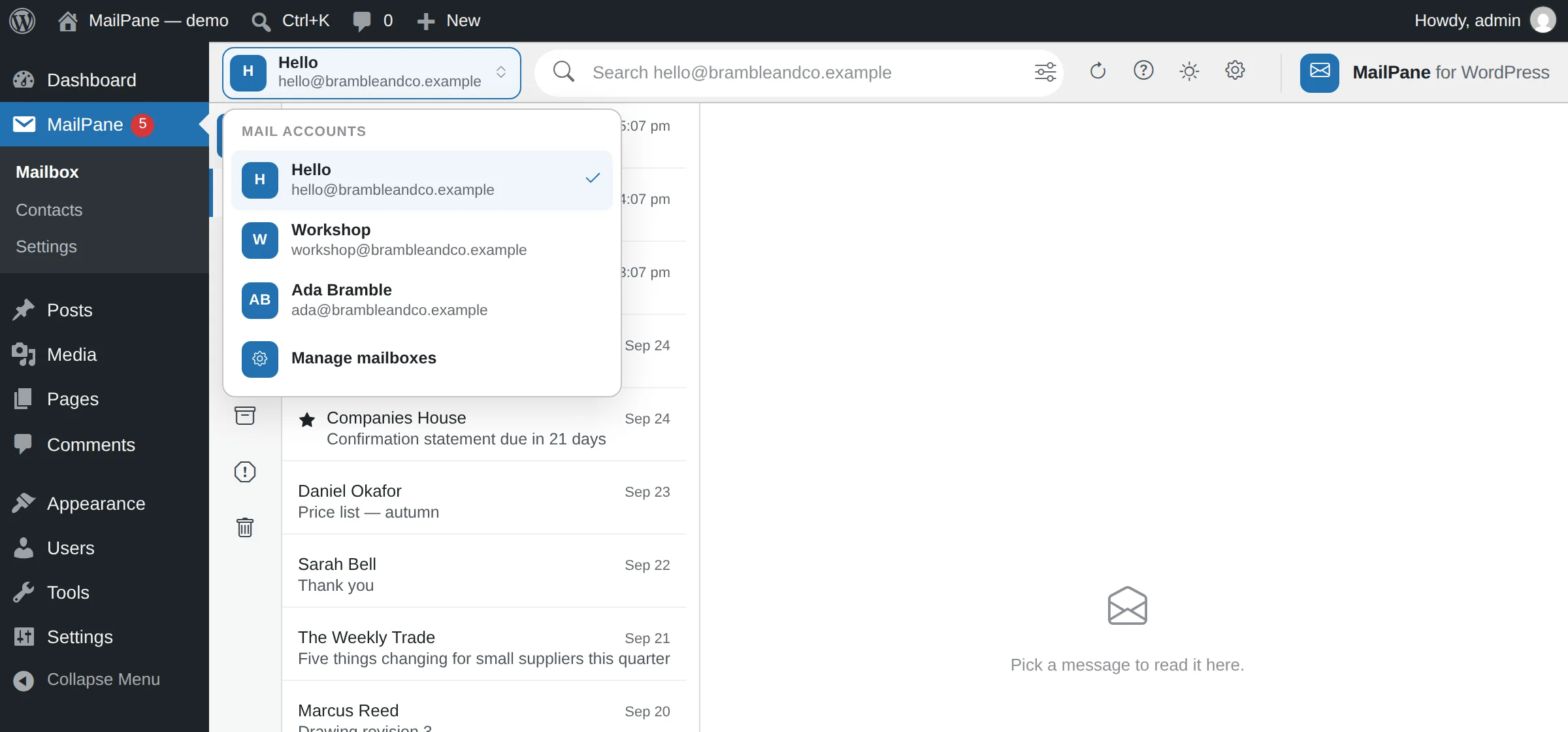
Your mailboxes sit behind the name in the top left. Open it, pick one, and the whole screen is that mailbox — its own folders, its own search, its own unread count. Nothing is merged into a single pile, because a shop inbox and a personal one are not the same job.

The choice sticks, and it sticks per person: two people sharing a dashboard do not drag each other between mailboxes.

The mailbox switcher open, listing three mailboxes with a tick beside the one being read

Contacts

Paid add-on

An address book that lives with your mail.

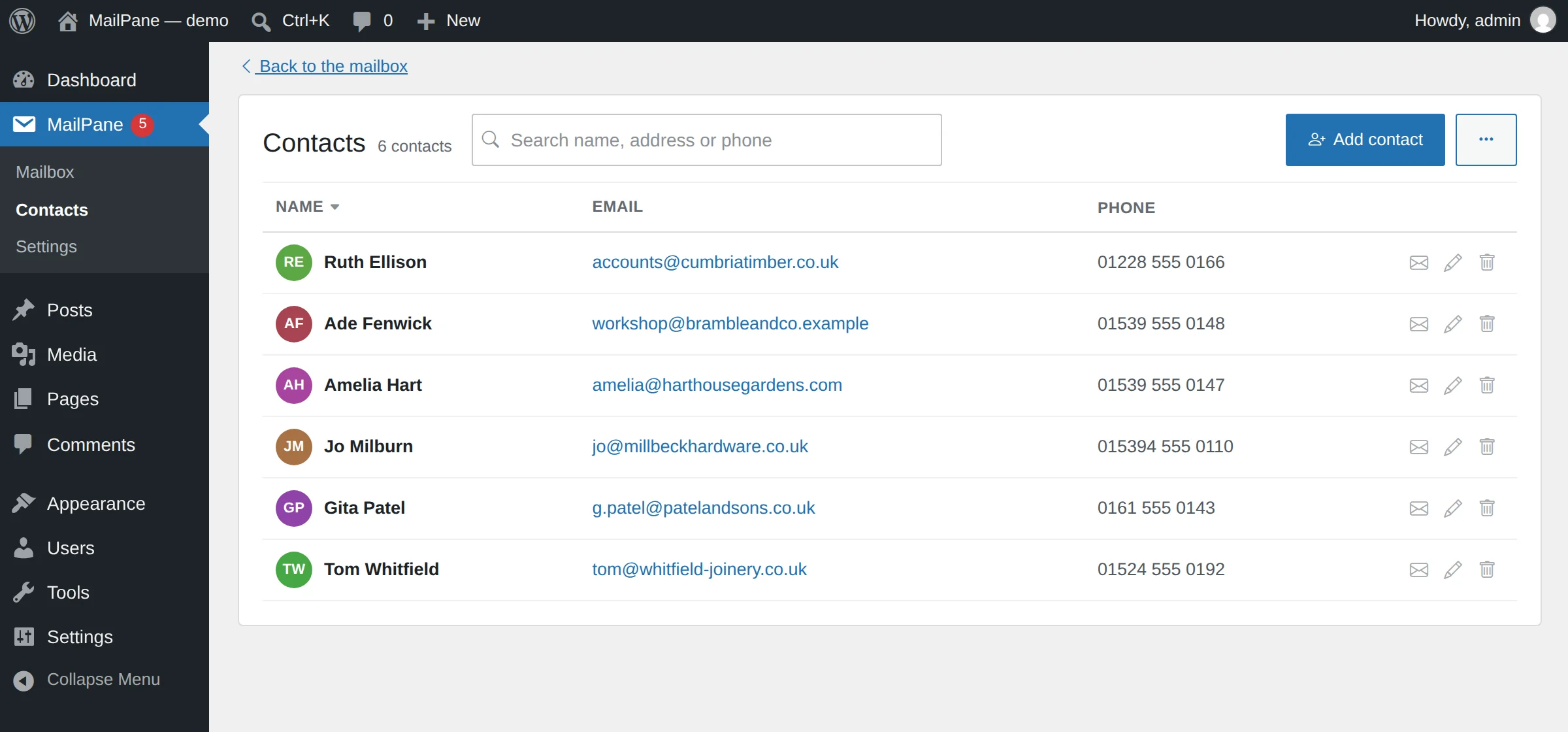
Add a sender from the message you are reading — the name comes across already split into two boxes. Somebody you already have shows a quiet link to their card instead of asking again. Import a CSV from Google Contacts or a spreadsheet; the column names are matched for you.

The contacts screen listing six people with their email addresses and phone numbers

Several mailboxes, one screen

Connect more than one account and move between them from the top bar, without signing out of anything. The free plugin already has the switch drawn in; the add-on is what fills it.

Bought once, not rented

It is a separate plugin you install alongside the free one. The free plugin never nags you about it, and never stops working if you decide against it.

You can try this right now

The demo has a Free / Premium switch along the top. Premium opens with three mailboxes and an address book already in it, so you can move between them yourself rather than take our word for it.

The demo is the finished thing to look at. What it costs is just below.

Pricing

The free plugin is free. The add-on is priced by how many sites you run.

One mailbox costs nothing, forever. MailPane Premium adds the rest — as many mailboxes as you like, the address book, unread counts in your menu — and every tier has all of it. The only difference between them is the number of sites.

Single site

One business, one WordPress, several mailboxes.

$29 first year

then $19 a year to keep updates coming

  • Licensed for 1 site
  • Unlimited mailboxes, switched from the top bar
  • The address book, with photos, kept on your own server
  • Unread counts on the dashboard menu
  • A year of updates
Tell me when it is on sale
Most people pick this

Up to 10 sites

A freelancer's clients, or a small agency's whole book.

$99 first year

then $79 a year · under $10 a site

  • Licensed for 10 sites
  • Everything in Single site, on every one of them
  • One key, moved between sites as clients come and go
  • A year of updates
Tell me when it is on sale

Unlimited sites

An agency that installs it everywhere and stops counting.

$199 first year

then $159 a year

  • Licensed for as many sites as you run
  • Everything in Single site, on every one of them
  • Breaks even against the 10-site tier at your twentieth site
  • A year of updates
Tell me when it is on sale

Stop paying and the plugin keeps working. Every mailbox, every feature, forever. You only stop receiving updates.

There is no phone-home that switches anything off, no trial, and no feature held back in the cheaper tiers. A licence key is what tells the add-on it may fetch updates from us; that is the whole of what it does.

Prices in US dollars, billed yearly. Checkout opens when the add-on ships; leave your address below and you will hear the day it does.

Stay posted

Two things worth an email.

The free plugin reaching the WordPress plugin directory, and the paid add-on getting a price. You will hear once for each and nothing else — the download above needs none of this. Tell us how you would use it and it will shape what ships.